Making CreatiCode Accounts
This document is meant for instructors. If you're a student, sit tight while your instructor makes your account for you.
Making an Instructor Account
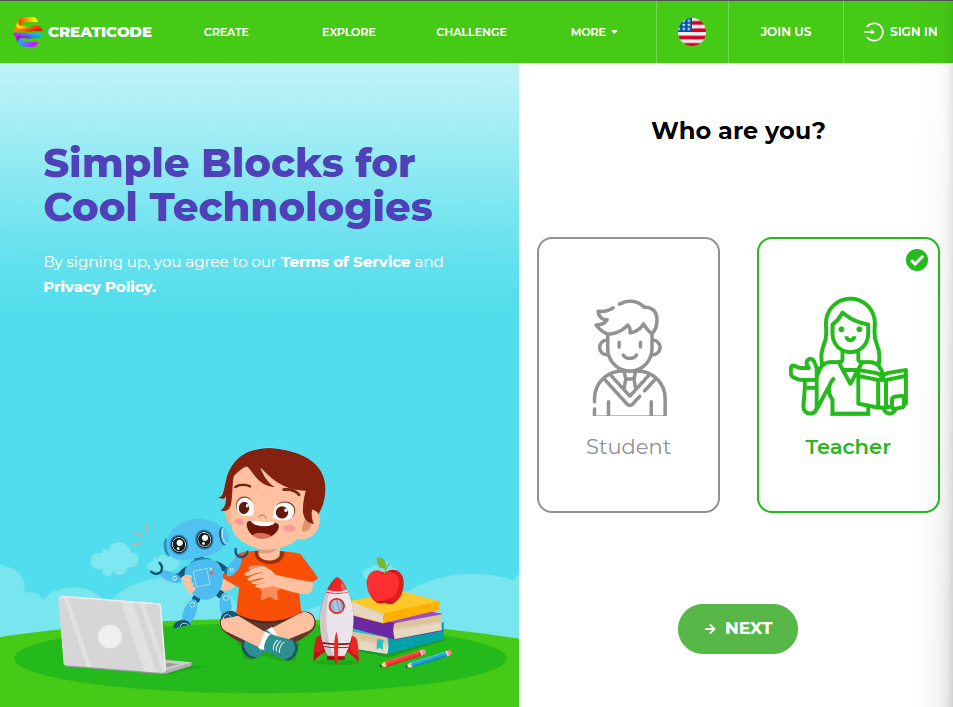
The system of making an account is largely the same as in Scratch 1 and 2. To start with, create an instructor account at https://play.creaticode.com/sign-up. This is completely free.
Creating a Classroom
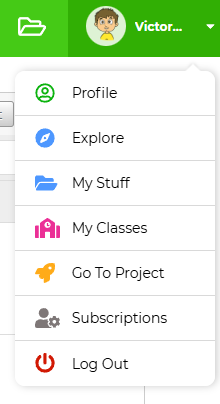
After making your account, log into CreatiCode again. In the top right hand corner, click on your avatar, and click on "My Classes".
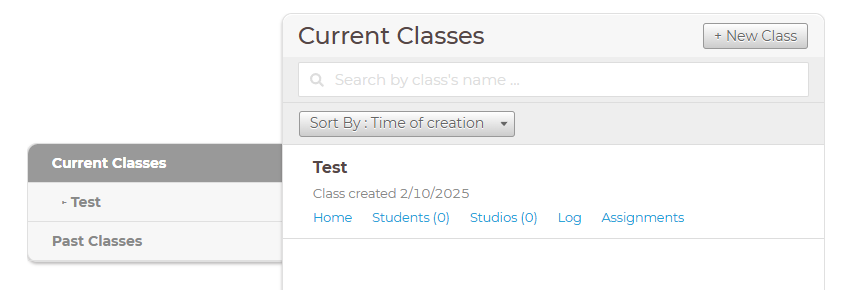
Afterwards, click on "+ New Class" and enter in a class name. The new class should appear.
Creating Student Accounts
Click on "Students (0)". Afterwards, on this page, click on "Enroll Students".
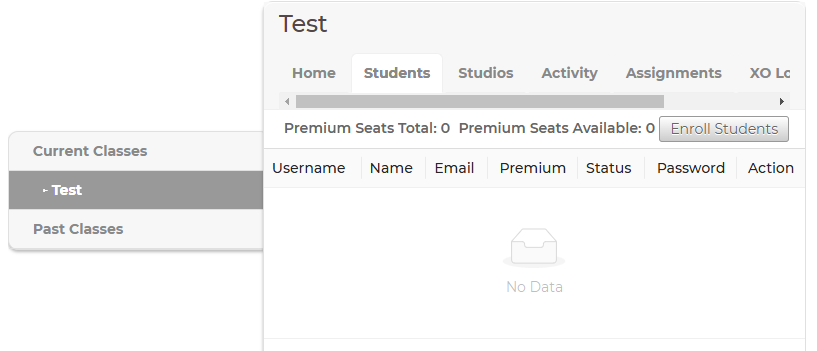
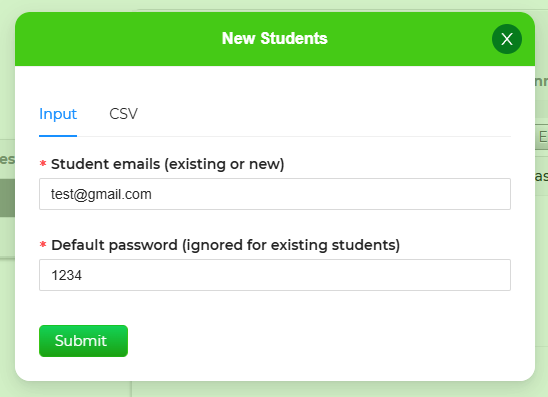
On the form that comes up, give your student en email. Your student does not need to have access to or verify this email. Their password will default to 1234. It is advised to make the email somewhat unique as if another account is using such an email address already, the password won't be 1234. For example, the student's name followed by their 4-digit ID will do the trick.
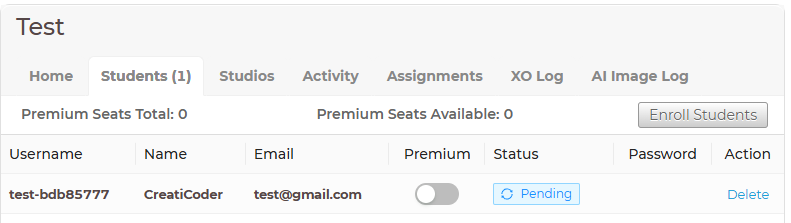
After, the student's info should appear. They should enter the username and password (which should be 1234) on their end and should be able to log in.
They can confirm that they are a part of your class if they visit their classes page. The class you just made should appear.