Mini Project: Pac Man
In this project, you will create a simplified recreation of the famous game of Pac Man in 3D. You will make the character to play as him and make 2 scripts. One to make the player controlling Pac Man do the "Waka Waka" sound when moving and the other a pellet to collect in the world when playing.
Topics:
- Parts
- Material
- BrickColor
- Scripting
Setting up the Project
A pellet a day keeps the ghosts away
- Get 1 wedge and 2 spheres
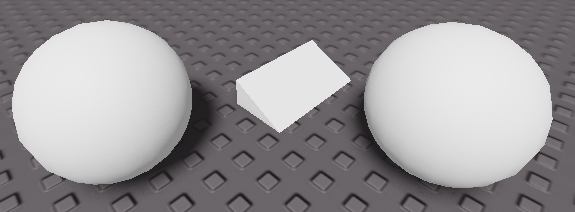
- Add BrickColor and Material
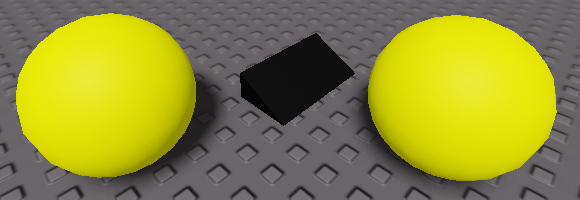
- Make one sphere slightly smaller and rename it to , the wedge to
HumanoidRootPartand the other sphere toMouthHead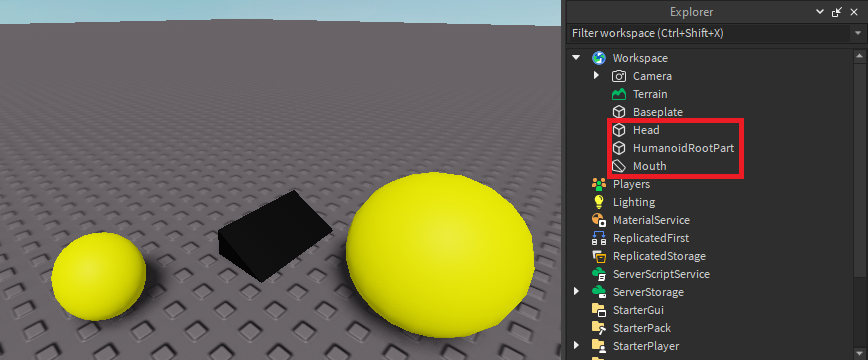
- Place the in a way it will cut out from the
Mouthto make it look like Pac Man. Don't use the small sphere yet.Head- Hint: Turn off collisions so you can move the inside the
Mouth.Head
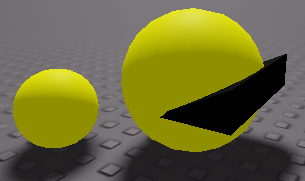
- Hint: Turn off collisions so you can move the
- Select the and make it a negative part by selecting the option from "Model" and "Negate" (red in image)
Mouth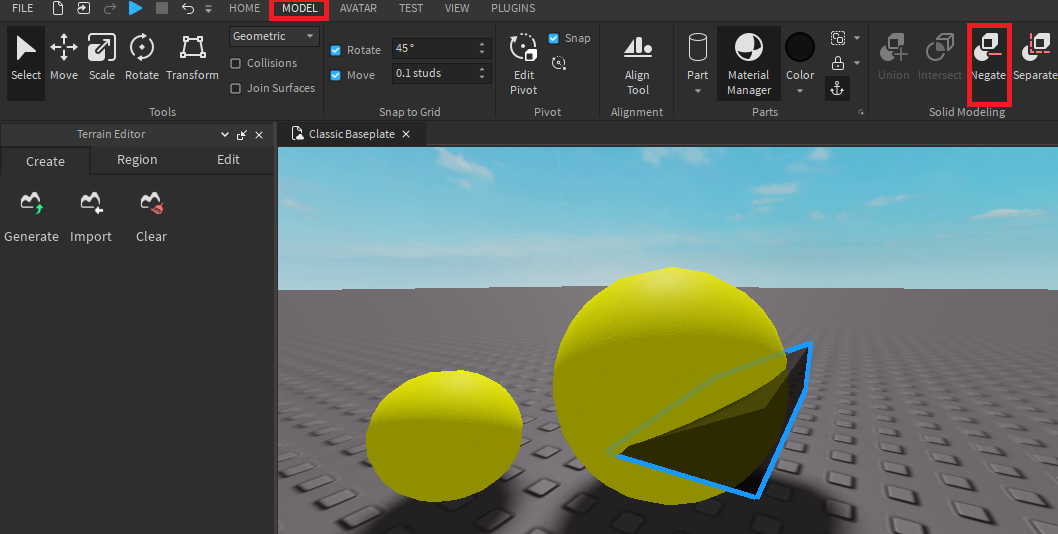
- Then select both the and
Head. Click on the "Union" option (red in image). Make sure you rename the newMouthtoUnion.Head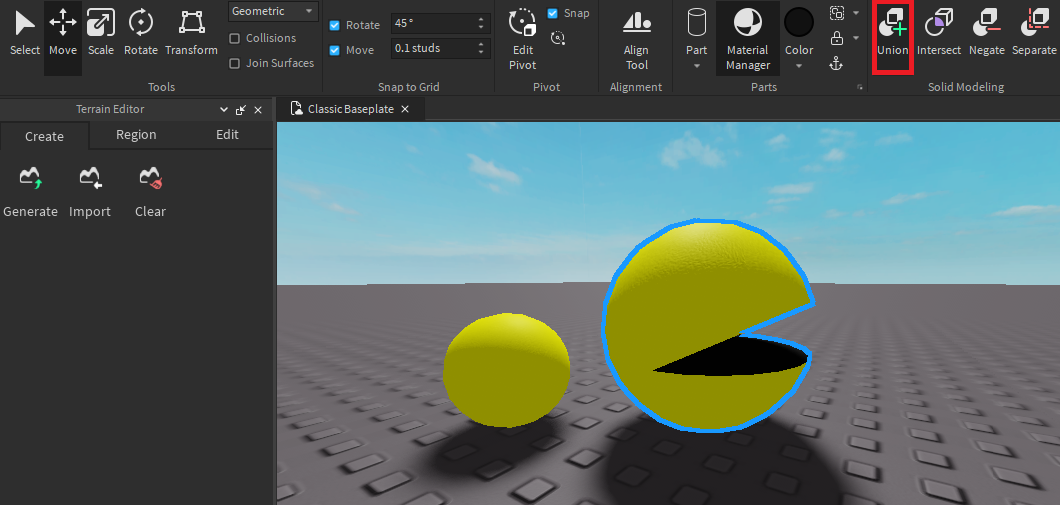
- Now place the roughly in the center of the
HumanoidRootPartand make it transparent.Head
- Select both parts and group them using "Ctrl + G" and rename the "Model" to . Note: This rename is important to be able to play as this object.
StarterCharacter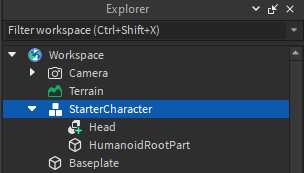
- Add a "WeldConstraint"

- Connect the to the
Headby changing the "WeldConstraint" Part0 and Part1 to them respectively (red in image)HumanoidRootPart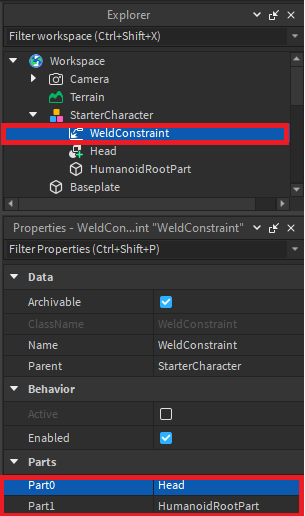
- Add a "Humanoid" to the "StarterCharacter" and change its "HipHeight" property to 1. Note: "HipHeight" changes how far the is from the floor by studs, you can make it a bigger number if necessary.
HumanoidRootPart
- Place the in the "StarterPlayer" folder and click play!
StarterCharacter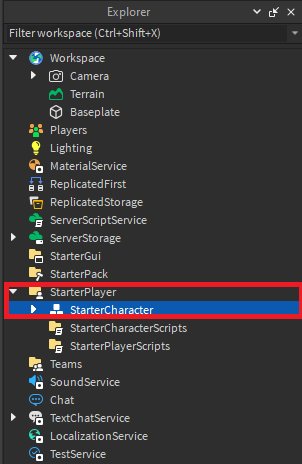
The Scripts
Script some pellets! Add a small sphere, rename it to
Pellet 
Add a script inside the
PelletPelletScriptIn this script, we start by adding a function that is only activated when something touches the Parent object (pellet). It then checks it is a Humanoid (which players have). If it is a Humanoid it makes it invisible and untouchable to allow it enough time to play the pellet collection sound before destroying the entire object.
Inside the
PelletScriptEat
Now you can clone it and touch them to eat them!
Now, we will script Pac Man to make sounds! We will be adding some code to have Pac Man make the famous "Waka Waka" sound when walking. Add a Local Script object on the "StarterPlayer" folder and rename it to
WalkingSound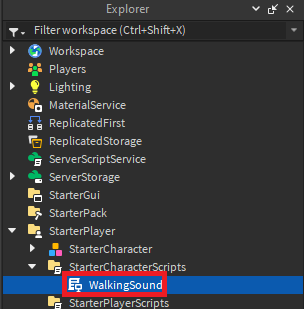
Add the following code:
In this script, we access the characters "Running" feature in order to change its properties. One of these properties is the sound made by the character when walking. As such we change the SoundId to the "Waka Waka" sound by getting the ID from one in toolbox.
Congratulations! You will now make the famous "Waka Waka" sound when playing as Pac Man!
Follow Up
- Decorate the world!
