Module 1-1 Exercises
Today, we'll practice how to use variables in your scripts. We will make a simple script that controls a part's Properties.
We will be utilizing the following topics:
- Scripts
Making a Script with Variables
The Essentials
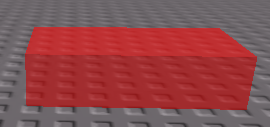
- Get one part, any part for this exercise (red in image).
- Add BrickColor and Material (blue in image).

- Add 1 script to the part you added (red in image)

- Rename it to .
Properties Script
The Script
- We will create 4 variables to control the code: "part", "color", "invisibility", and "stuck"
- Add the code below to the script.
If you play the game, the part should look something like this: