Arcade Hero
Summary
This project is a rhythm game inspired by Guitar Hero! Click A and B when the buttons reach your zone in time with the music to get a higher score!
Main Topics
- Using function blocks and separately do blocks to make advanced background music
- Utilizing the beat blocks to control game flow
Project Preview
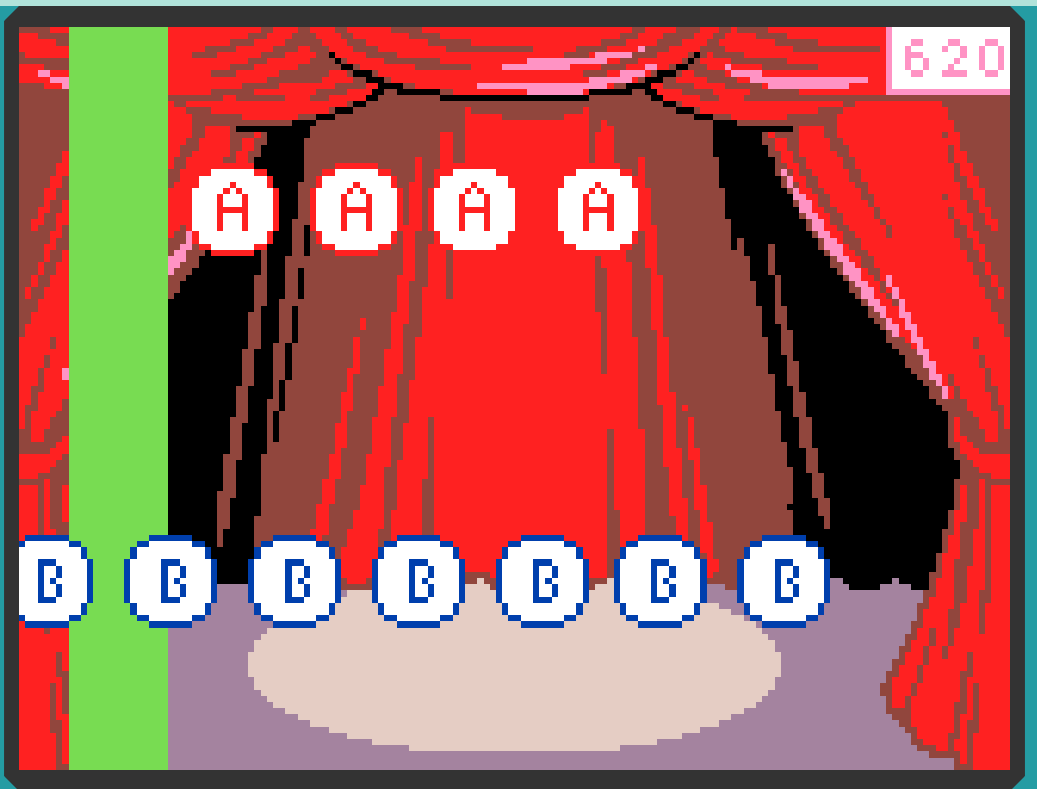
Link: https://arcade.makecode.com/S20995-36769-41954-34211
Code Explanation
- Setting the stage
- Use the on start block to set the scene for your game!
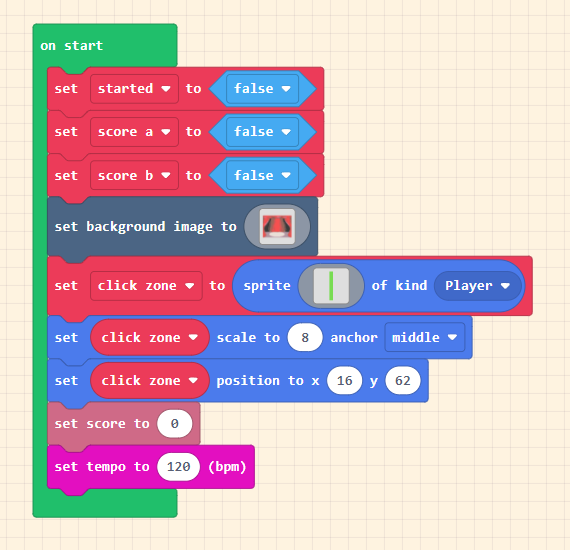
- The code below ensures every variable used by other code is initialized and ready for whenever it's needed, sets the background image, creates the player's click zone, scales it to fit the screen, and positions it appropriately. It also resets the score and the tempo of the music.
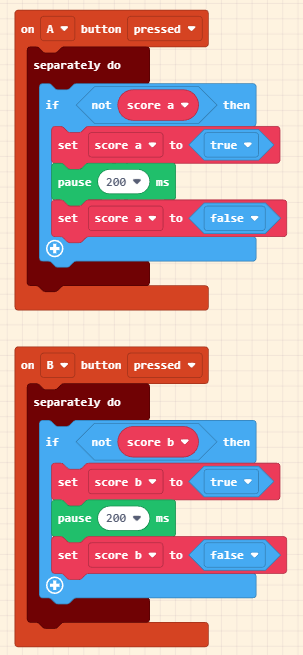
- Score A is true when A is pressed, Score B is true when B is pressed, and started is used to give the player a slight head start before the notes reach the click zone.
- The click zone sprite's dimensions are 2x16.
- Adding the timer extension
- For this project, we will be using Microsoft's arcade-timers extension. To add it, click on the + Extensions category in the editor and search for arcade-timers. Then, click on the extension itself to add it to your project.
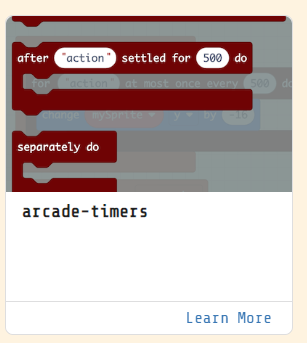
- For this project, we will be using Microsoft's arcade-timers extension. To add it, click on the + Extensions category in the editor and search for arcade-timers. Then, click on the extension itself to add it to your project.
- Making the chord functions
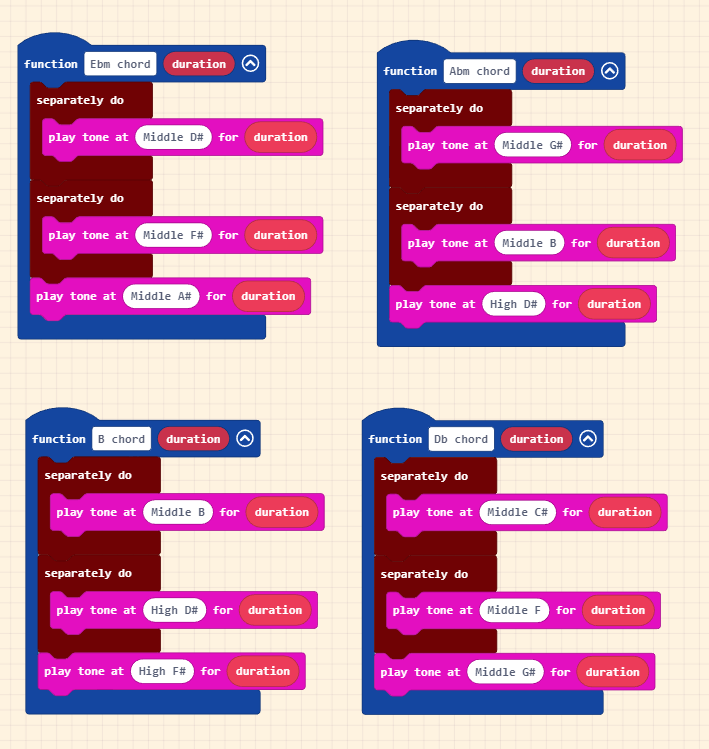
- We will create four chord functions for this sample music piece: Abm chord, Ebm chord, B chord, and Db chord.
- Each function should have a single numerical parameter called duration.
- The separately do block allows us to play multiple tones at the same time.
- Tip: To save time, duplicate one to make the rest.
- Making the note functions
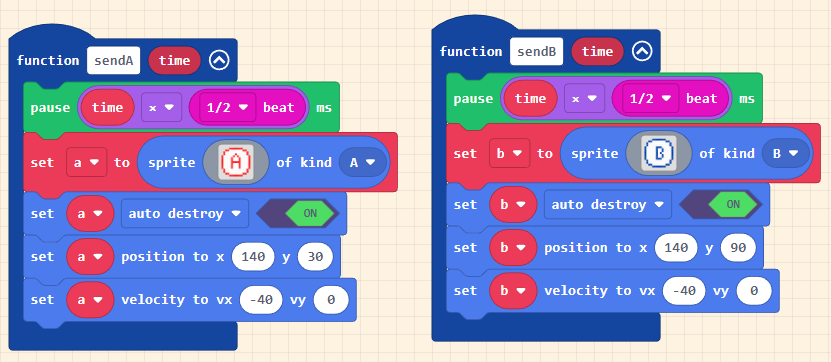
- These functions create the actual notes that will travel down the screen for the player to "play."
- The pause is there to be able to offset the time they are made to allow for different songs.
- The sprite dimensions are 15x15.
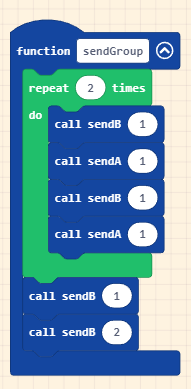
- This sendGroup function will send an entire set of notes to be "played" by the player, timed to the music.
- Main Game Loop
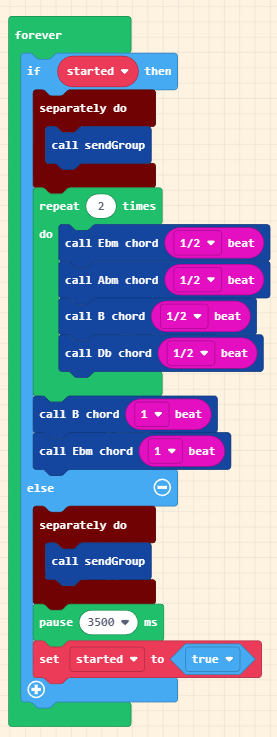
- This forever block actually plays the music with the chords and sends the groups of notes.
- The first part that runs is the else, giving the player time to see the notes approaching before the music starts playing. The if then part is what runs for the rest of the game, playing the tune and sending out every next group of notes.
- A and B button setup
- These two blocks toggle the Score A and Score B values whenever their corresponding buttons are pressed.
- Tip: I'd highly recommend making one and duplicating it for these two and the following two blocks to save time.
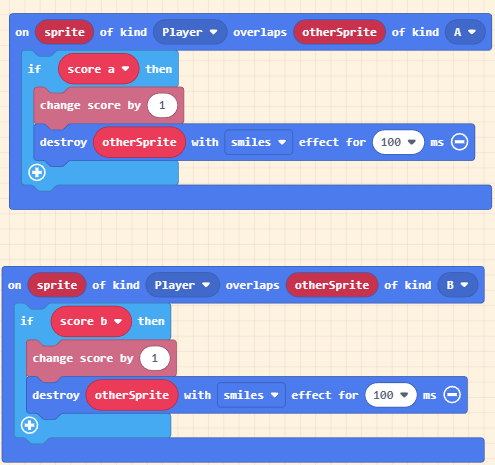
- These two blocks destroy notes and increase the player's score whenever the player is clicking the correct button when a fitting note is in the player's click zone.
Extra Challenges
- Allow the use of the D-pad to speed up/slow down the game!
- Alternatively, use the D-pad to make more kinds of notes!
- Make the game harder as time progresses!
- Make the song longer!
- Utilize player 2's score to make a combo tracker that resets whenever a note reaches the wall!